How to draw by hand, then adjust the drawing and generate a png

I got tired of using computer tools for expressing my ideas as images. Instead, I started drawing on paper. But I always wanted to change the drawing a little bit. The challenge: I use Windows and I am not an expert on SVG graphics tools.

So below is the current workaround I use for getting my ideas on paper, and then on a .png file using simple and free tools (without being an expert)

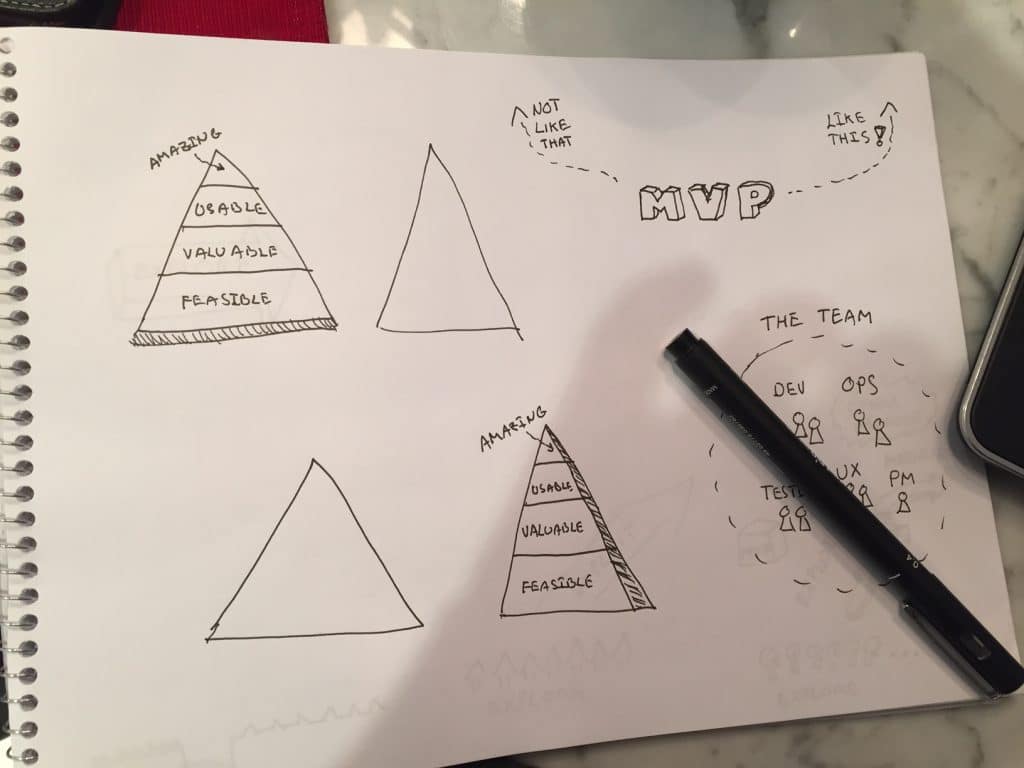
  1. Draw by hand on paper
  2. Take a photo of the drawing
  3. Open the jpeg image on inkspace
  4. Path / trace bitmat
  5. Save as .png
  6. Open the .png on paint.net
  7. Crop image pieces
  8. Copy / paste the pieces on inkscape
  9. Rebuild the image
  10. Save as png

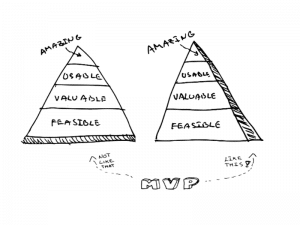
Below is an example (before and after).
draw-by-hand

mvp-like-this


Simple is good. This works for now.

Paulo Caroli

Paulo Caroli is an author, speaker, and consultant specializing in agile transformations, Lean Inception, and OKRs. With over 30 years of experience—including nearly a decade in Silicon Valley and 18 years at ThoughtWorks—he has helped organizations transition from project to product and from strategy to execution. Creator of the Lean Inception methodology and author of bestselling books like Lean Inception and Team OKR, Paulo is dedicated to empowering teams to align, validate, and deliver real business value.
WhatsApp Detox

WhatsApp Detox

Yes, I did it! A Detox from WhatsApp. I have just moved from Brazil to Spain. And I decided to leave my Brazilian WhatsApp number behind. You might say: but you could keep that Brazilian WhatsApp number. Then you could change your WhatsApp number (and use the feature...

read more
Opinion Writing with OREO

Opinion Writing with OREO

The best thing about helping with your kid´s homework is that you learn old tricks again. I came across the OREO paragraphs for opinion writing and decided to give it a try. O=Opinion: state your opinion. R=Reason: give your reason. E=Examples; give specific examples....

read more

Pin It on Pinterest