


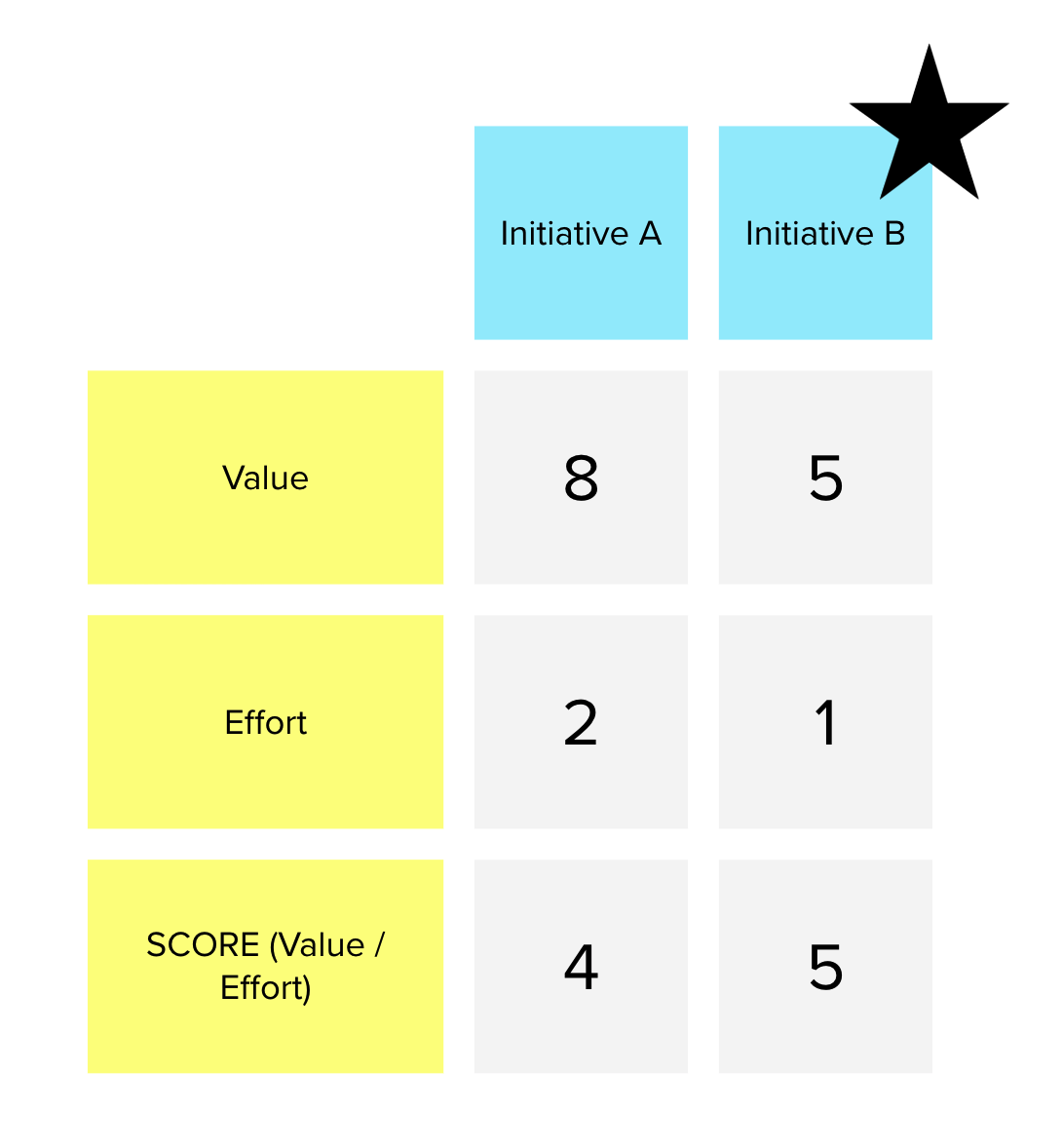

Let’s score all the initiative candidates, relative to each other, so that we can better understand the options and make a selection.
When you are faced with several options at the same time, it is natural to compare them to each other.
Step by Step
- create the table (initiatives x criteria) – recap the initiatives and explain/adjust the criteria
- value each initiative relatively to each other
- calculate the SCORE for each initiative
Please find below a few criteria and a proposed score calculation used for digital product.
- Business Value – What potential value or negative impact to our business? (value from 0 to 5)
- Time Criticality – How fast does business value decrease over time? Will users wait for us or find another option? (value from 0 to 5)
- Risk Reduction – What is the risk of delaying this initiative for our business? Will this initiative open / facilitate new business opportunities? (value from 0 to 5)
- Reach – How many people will be impacted by this initiative? (Consider for same period) (value from 0 to 5)
- Impact – How much will this impact each of these people? (value from 0 to 5)
- Confidence – How confident are you about these numbers? (value from 0 to 5)
- Effort – How does this initiative compare to others (value 1 to 10)
SCORE = (Business Value + Time Criticality + Risk Reduction) + (Reach + Impact + Confidence) / Effort
Connecting with the previous activities
This activity is a follow up on the previous activities: OKR activity , Explore options activity and Further Explorations. The output of these three activities prior to Compare options and select the pilot is a set of initiative candidates in the following format:
We believe that <initiative> will help with <OKR> while improving the <user experience>
Such output is great as it lists well formulated initiatives that connect with OKR and User eXperience.
But you should not work on all initiatives at the same time. You should focus in one or two, before going to the next ones.
The main goal of the Compare options and select the pilot activity is to help you prioritise the initiatives so you can select the pilot (the very first one, the one with highest priority as per everyone agreement).
You can find this activity on the following Mural template:
• Accelerate the business workshop (Mural template)
This is part of a series of Inception activities.