



What’s in your remote toolbox? What are the tools you have been using to facilitate remote meetings and workshops?
This is a repeated question I’ve been receiving lately. Therefore, I decided to create a list and share it. On a previous post in Portuguese, I have asked what are the remote tools people have been using.
In this post I will share a list of the tools I’ve been using on the remote meetings and workshops since the beginning of the year (when colleagues from Thoughtworks China asked me to help facilitate a remote workshop because of a local lock down they were facing… little did I know that soon later everyone would be working remotely).
Even though, some of these tools can do more than one thing, when deciding on the tool, I think about it for a specific need. They are:
- File Sharing: Dropbox, Google Drive, GitHub
- Realtime communication: Zoom, Microsoft Teams, Hangout, Skype
- Asynchronous messaging: WhatsApp, Slack, Telegram, Mail
- Task organisation: Trello, Jira, Excel
- Visual collaboration: Mural, Miro
- Remote retrospective: FunRetrospectives
Swisstool or toolbox
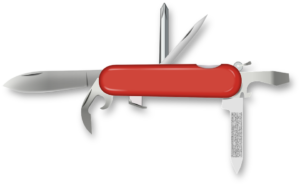
Some people prefer to have one Swisstool, others prefer to have a toolbox with specific tools for specific needs. I prefer to have a toolbox with many tools (including a Swisstool). This way I have more options and can choose according to the specific context and situation.
For example, the other day I facilitated a remote workshop. We talked and saw each other on Zoom. We collaborated visually on Mural, where I prepared a board with a sequence of FunRetrospectives activities (I added a link to the Safety Check anonymous board in the Mural board — it was simpler than recreating it in Mural and working out the details for the anonymous voting). We used Mail to share the info before the workshop. The result of the workshop was uploaded on the team’s Google Drive, and a few action itens were added to Jira.