
Many times, I am invited to facilitate retrospectives, inceptions and workshops. For retrospectives, I use the FunRetrospectives.com agenda builder. For inceptions, I will either plan a Lean Inception, or decide the activities according to the requester intention for...
Blog
Check out articles and various content with the latest updates on methodologies, agility, digital transformation, innovation and more.
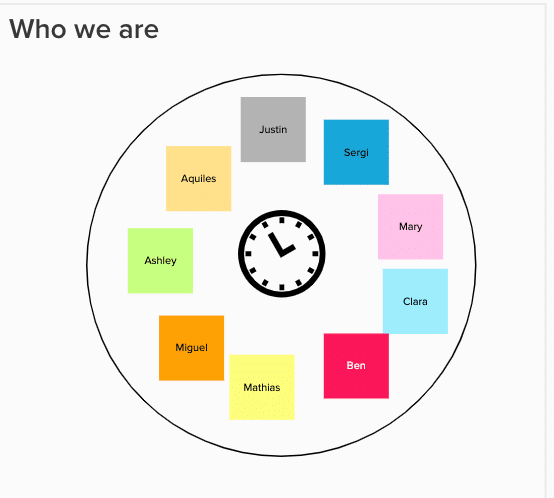
Who we are – organize the remote participants names in order
When facilitating a workshop, many times you need to ask people to follow an order. In a presential workshop, you can ask people to form a circle and then follow a clockwise order. Another option, when people are sitting or standing in a line, is to ask then to follow...
[Q&A] Mural Lean Inception webinar
A few days ago, the Mural team invited me for an amazing webinar about the Mural Lean Inception template. >> Watch the whole Lean Inception Mural webinar video >> Take a look at the realtime Mural board created during the webinar. Below are the...
Anonymity for remote retrospective checkin
I love FunRetrospectives.com. In it I can search for activities ideas and quickly create the agenda for a retrospective. This helps to solve a big problem for Scrum teams that do retrospectives very often: monotony. What went well? Not so well? How to improve ......
How to define a MVP?
“Build, Measure and Learn” as Steve Blank says: is much more elaborate than putting software into production to see if it works. The Lean Startup movement is very promising, but for many teams it ends up translating into an important question: ”Yeah, but what to build...
Final retrospective – activities and template on Mural
Please find below a sequence of activities for the last retrospective for an agile team that worked on a programme for more than one year. The retrospective was for 1 and ½ hour; 12 participants. On this post, I also share a Mural template I used for facilitating it....


![[Q&A] Mural Lean Inception webinar](https://caroli.org/en/wp-content/uploads/sites/5/2020/07/Screenshot-2020-06-10-at-17.42.42.png)